Posts

Showing posts with the label Saving energy

#15 - Drying clothes on a laundry rack instead of using drier

Image
I have to admit, deciding to use a laundry rack takes a bit more time than using a dryer. But while putting the clothes up, I usually listen to some music so it is not so bad. And it just feels better to only use the dryer in case my clothes – or often bed sheets – need to get dry fast. Not only do I use less electricity, my clothes wear out less quickly too!  

#14 - Reducing temperature and washing time

Image
With my washing machine – and I guess most can do this – I can choose the temperature and the time it takes to wash the clothes. The standard setting of the program I pick is 40°C and 2,5 hours. I have tried whether it works just as well to wash with 30°C and only about 1 hour. And it does, which saves a lot of energy.

#736 - Turning heating down to 19°C/66°F

Image
With skyrocketing gas prices in Europe, it is not only good for the environment to turn the heating to a lower temperature, it is also good for our wallet. This year, I see how far I can come without turning the heating on at all.

#5 - Using remaining heat from oven

Image
Once a week I bake self-made pizza at 225°C. As the oven remains hot for quite some time after re-setting the temperature to 0°C, I tried switching off the oven after 19 instead of 20 minutes. It worked just as well to use the remaining heat in the oven. Also, I used the remaining heat to keep the pizza warm whilst eating the first few pieces. Yummy!

#2 - Switching off unused devices

Image
At work, I use a wireless mouse, which you can see here. I switch it off when I don’t use it to save energy. I can also save energy by switching off other devices, such as my computer, smart phone, screens, printer and ,at home, my router. I noticed that depending on the device, there are additional advantages. In this case I don’t have as many empty batteries that I need to dispose of in a special battery receptacle at certain shops.

#356 - Wearing wet t-shirt to cool down instead of using fan

Image
When it gets really hot during summer, it is sometimes too hot to go out or feel good. To solve that problem, I put my t-shirt under the tap, make it completely wet and put it on again. The first few seconds are a bit cold but after that, it is lovely. It saves me a lot of energy for cooling down and I can use this trick both inside and outside.

#351 - Cleaning staircase during the day using daylight

Image
Whenever I have to clean the staircase, I make sure that I do so during the day, so that there is still daylight. This prevents me from having to use the lights.

#348 - Doing dishes by hand instead of using dishwasher

Image
I have learned that doing the dishes by hand requires – with the right habits – less energy and water. That’s why I’ve done it by hand.

#347 - Removing old emails

Image
By removing a lot of old emails, I save storage capacity. But also, when I make a backup from my hard drive, it saves time and energy as all these old emails don’t need to be transferred.

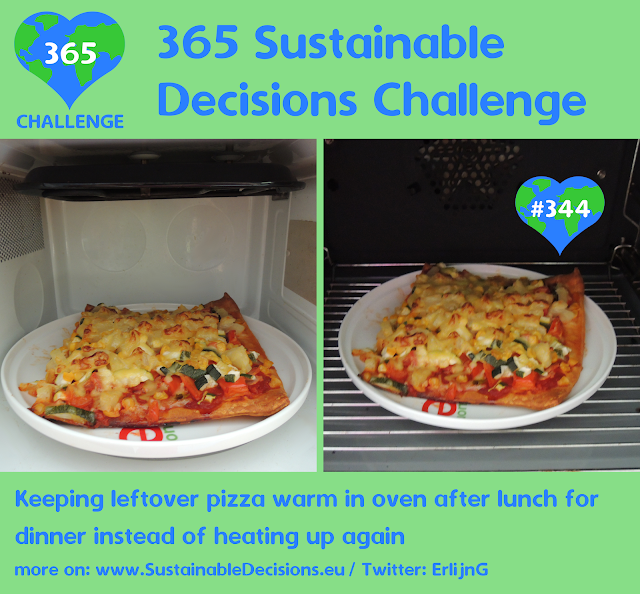
#344 - Keeping leftover pizza warm in oven after lunch for dinner instead of heating up again

Image
The pizza I had this time was too much for lunch. That’s why I put the leftovers in the oven to keep the pizza warm until dinner. This allowed me to have a warm pizza, without having to heat it up again, which saved energy.

#342 - Having cool(er) shower

Image
Another way to make a shower require less resources is by showering with cold or colder water. I’m not a hero in this respect, so I can’t have a cold shower. But I can use colder water.

#339 - Turning heat down when water is boiling

Image
As water cannot get any hotter than 100°C as it evaporates after that, it doesn’t make sense to put more heat in when cooking. That’s why I turn down the heat as much as possible when the water is boiling, only to have enough heat to keep it boiling. This saves energy.

#336 - Canceling email notifications that I don't read anyway

Image
From some social network services, I get email notifications to let me know something was posted on the platform. But for some services, I don’t look at these notifications. So to reduce the traffic and the storage space on my computer, I canceled receiving them.

#329 - Leaving middle of plate empty to heat up food quicker in microwave

Image
Of course, I try not to use the microwave. For those cases that I do, I have learned that putting food on a plate in a ring heats up the food more evenly. But because of that, it heats it up quicker too, so that less electricity is required.

#325 - Sticking alufoil behind heating to reflect heat and save energy

Image
I have learned that aluminum foil behind a heating reflects the heat back into the room. This saves energy. And in my case, it is even more helpful as the heating is attached to the fridge (a strange decision in itself).

#324 - Boiling several eggs at once

Image
When I boil eggs, I prefer to boil several at once, up to six: I eat one or two and put the rest in the fridge for the next few days. This saves time, water and energy.

#675 - Turning off oven light when meal is finished

Image
I have a small oven, which has a light that stays on, even when I put the temperature to 0°C / 32°F. To save energy, I turned the time to zero as well, so that the light stopped burning.  

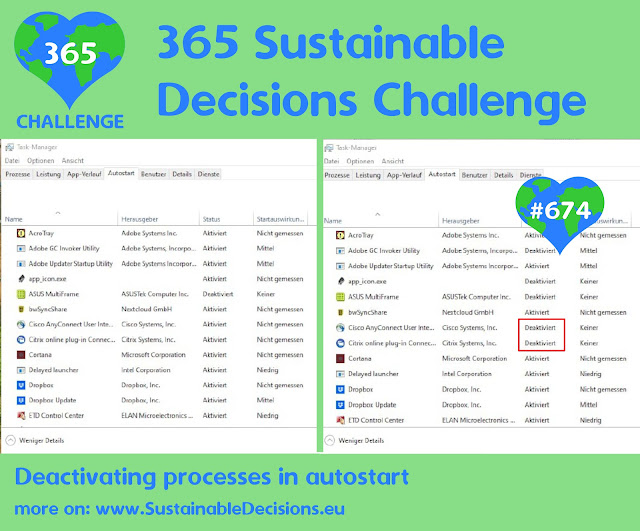
#674 - Deactivating processes in autostart

Image
When a computer boots, it starts several processes automatically. I know that in Windows, you can change which processes start in the task manager. You can reach the task manager by pressing Ctrl + Alt + Del on the keyboard, choose task manager, and then go to the Autostart tab. This is helpful, as processes that run in the background use electricity unnecessarily.

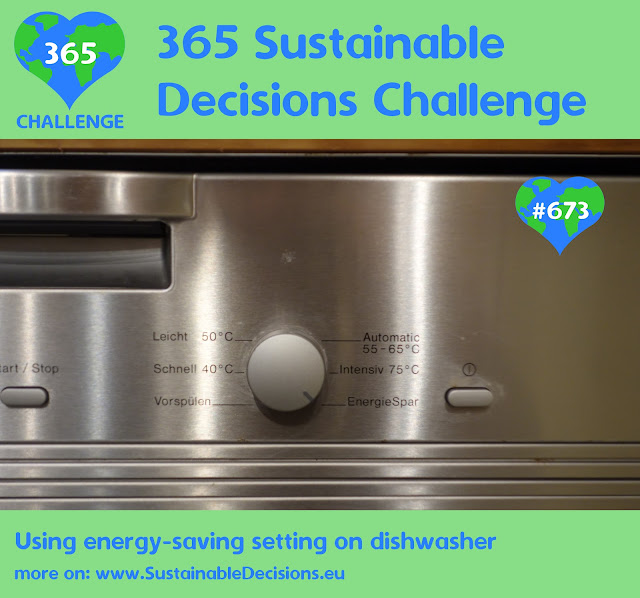
#673 - Using energy-saving setting on dishwasher

Image
My dishwasher has an energy-saving setting. I always use this setting, as it makes my dishes nice and clean. 

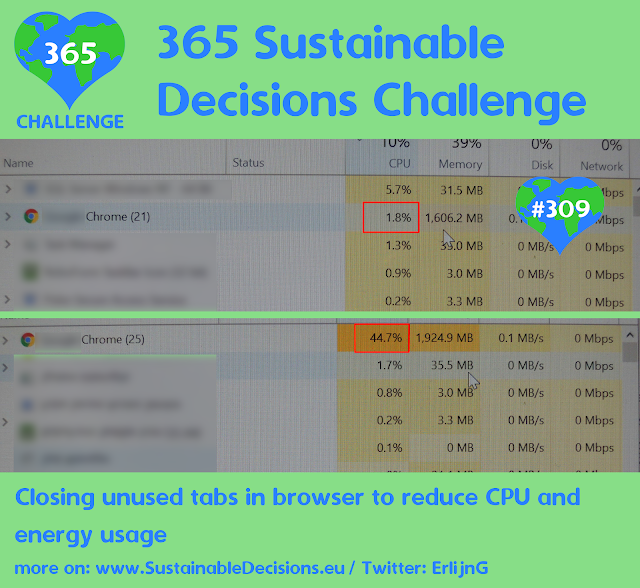
#309 - Closing unused tabs in browser to reduce CPU and energy usage

Image
I noticed that the fan of my laptop was very loud at some point. I wondered what was going on and looked in the task manager (on Windows laptops you can press Ctrl+Alt+Delete on the keyboard and then choose Task manager) to see which process was taking a lot of CPU capacity. It was my browser, so I decided to close tabs I didn’t need anymore. This helped a lot and therefore reduced energy use.